Digital Storage Pricing in 2026
1 Impetus
1.1 In the Clouds
I’ve had Dropbox for some time, and have found it to be exceptionally good at doing what most other services seem to suck at, which is to say that it is good at storing my files. To cut a long story short, iCloud is good but restrictive in terms of which devices I can use with it1; Google Drive similarly works quite well, but its file uploads seem to be slower than Dropbox, making synchronization feel less “seamless”; and using OneDrive means being bombarded with bullshit2. In my time with it, Dropbox syncs my files quickly, clients are available for all my devices (including ones running GNU/Linux3), and I have not had to endure any Microsoft in-product advertisements; great.
But I didn’t want to rely solely on Dropbox as a long-term total storage solution.
Monthly fees locking you into a service that could hold all of your important files is not something I really like. Even if you can migrate away in the future, the longer you wait, the more of a pain that migration will be. This post isn’t about technical details, so I will spare you those. Rather, just know that I bought some storage drives online and put together a home file server.
1.2 Walmart
Soon after completing that project, I went to my local Walmart to buy some unrelated things (Cheez-its were among them). While there, I briefly perused the storage in their electronics section… it was half the price. When I was searching online, I did not see these prices. They had NAS (network-attached storage) hard drives with almost all the same specifics as the ones I had just bought. They had 12 terabyte NAS drives for $250. What the hell?! Further, while external drives are typically cheaper for a bunch of supply reasons, they too were shockingly cheap. Perhaps in better days we would just call these reasonable prices, but in the world of NAND flash shortages for solid-state drives (SDDs) and production crunches for hard drives (HDDs), these prices were shockingly good.
2 The Hell (it’s not so bad)
Learning that I had spent hundreds more than I otherwise needed, spurred me to check deeper online. In my search, I found a website, diskprices.com, that collects and sorts memory products (including RAM and removable storage options) from Amazon and its various regional sites. Having found it, I thought it may be cool to compare these products graphically. The site already has some unique data points, like prices per gigabyte/terabyte, so I thought it would be neat to come up with various graphs to explore different aspects of what is there.
3 Diskprices.com
First, let’s get the data we want from this site. We will keep our data source to new products from the U.S. Amazon site alone. Further, in acknowledgement of the current RAM (random-access memory) shortages, we will also include some graphs on those for fun. Other storage mediums (as in, other than SSDs, HDDs, and RAM) will suffer my ignorance. We will also use prices per gigabyte, but it doesn’t really make a difference beyond scales. There are many ways to get this data, but the site is formatted really nicely so the easiest in our case is to just grab the site link, plug that into the rvest package4, and then select/filter/adjust for our options.
With this done, we can make some cool stuff. Below is a splattering of graphs, pick your poison!
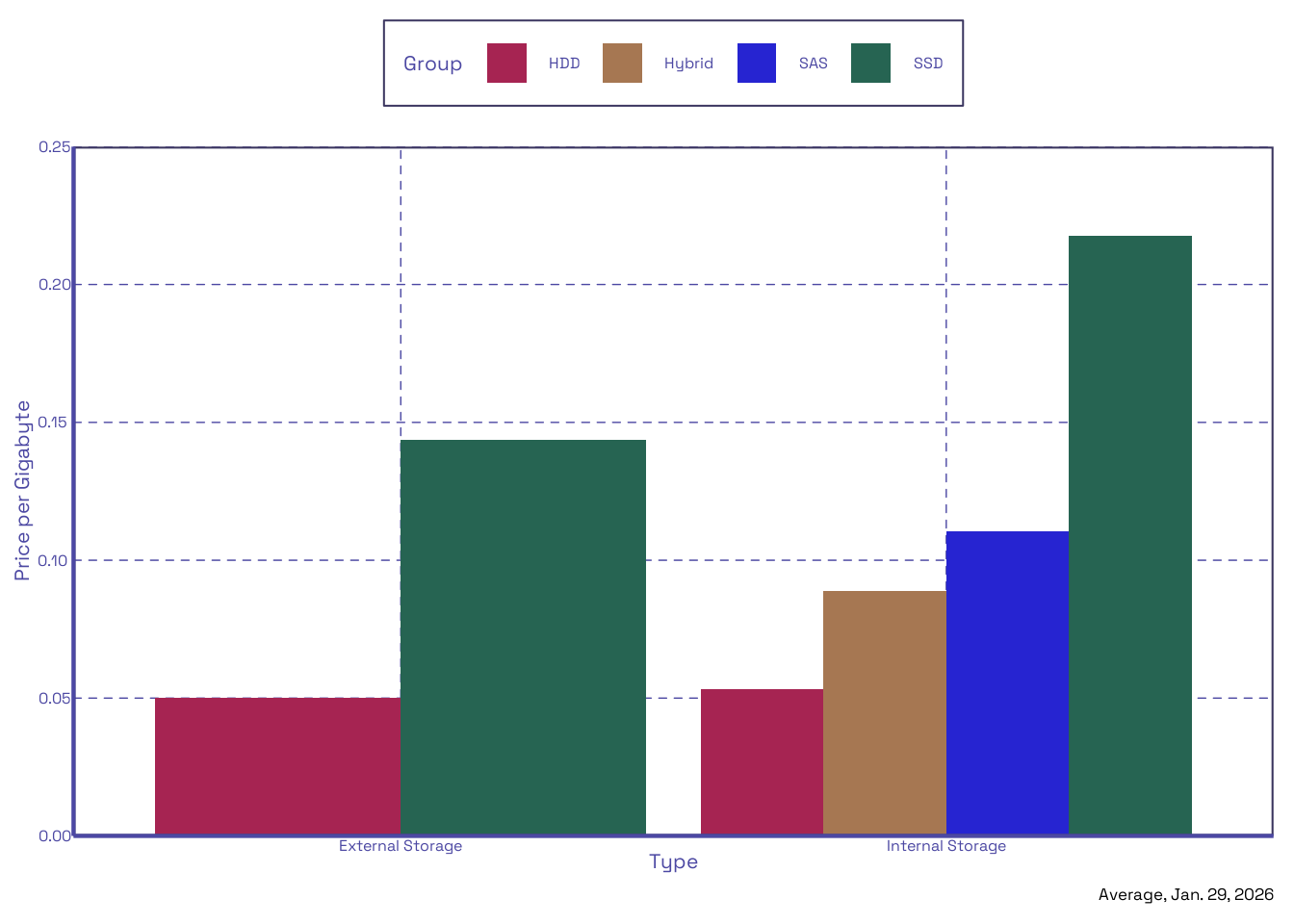
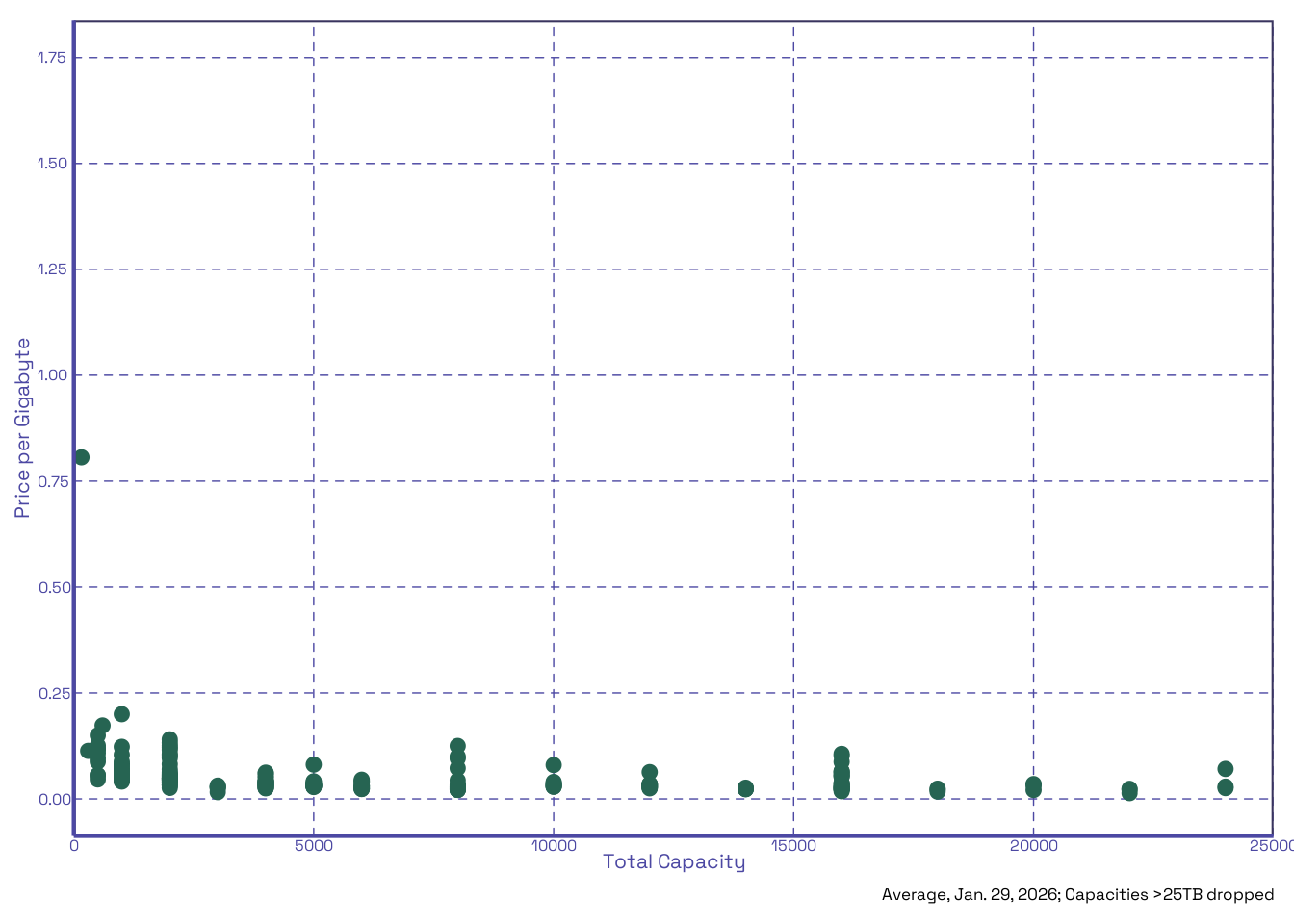
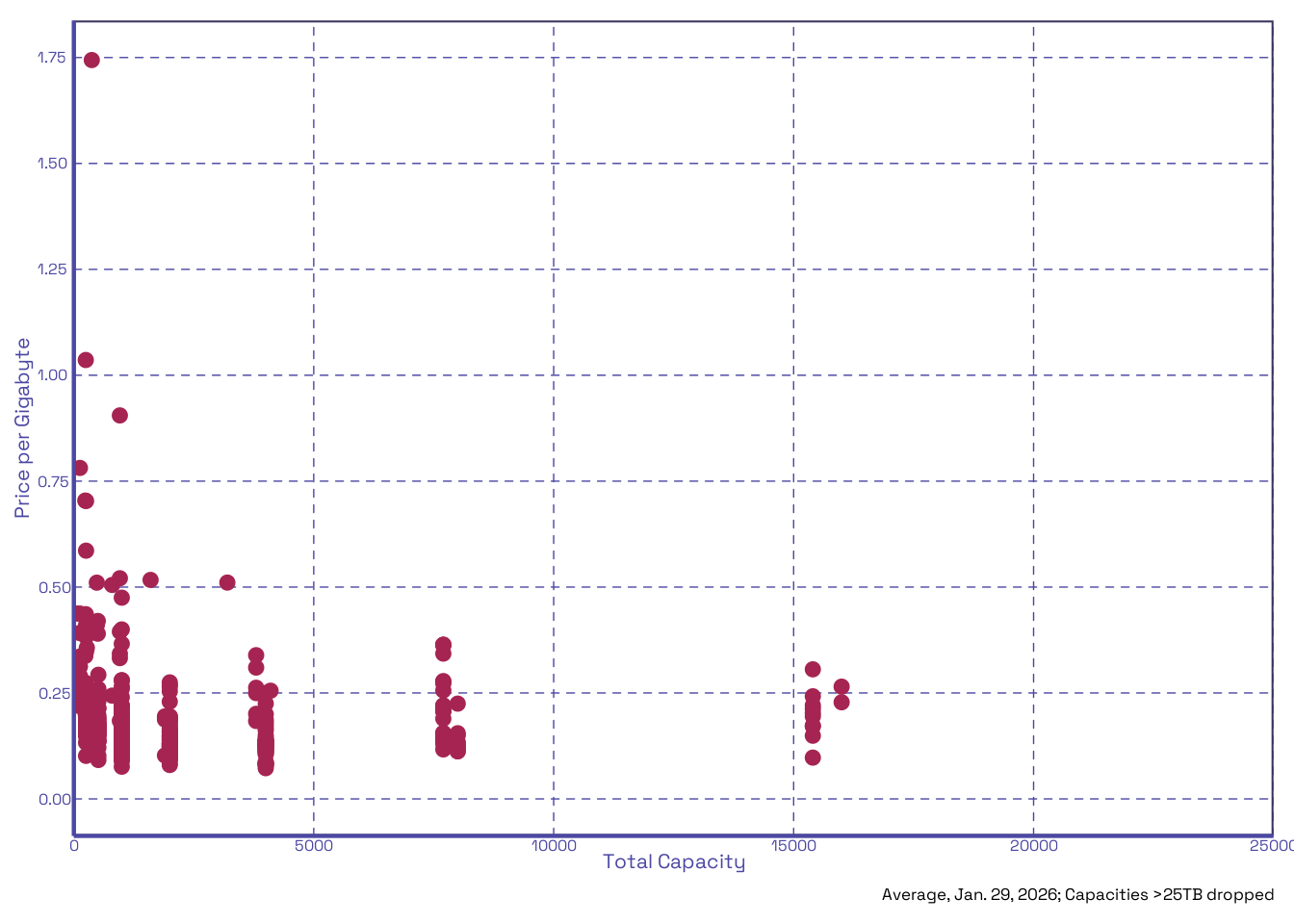
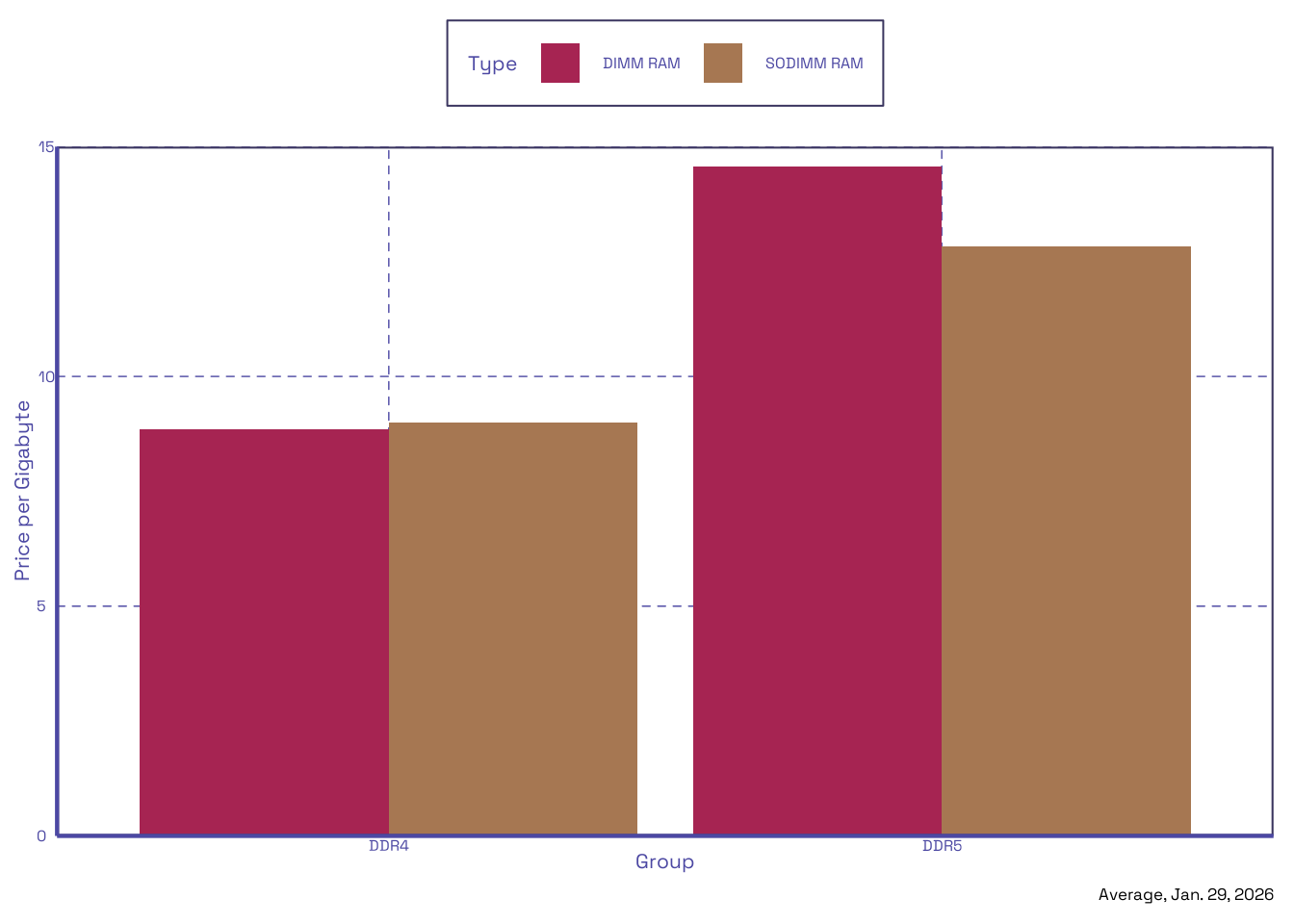
That is all for now, this was a fun reprieve.
Footnotes
The only actual clients available are for Apple devices and Microsoft Windows. While the web app for iCloud looks nice and is accessible otherwise, a web app is not integrated into your filesystem, which is immediately a far worse experience.↩︎
As is the typical user experience with an increasing number of Microsoft products. Microsoft seems to have misunderstood that the reason people liked Apple’s (and even Google’s) ecosystem wasn’t that things were pre-installed and forced on them, but that those things worked and left them alone otherwise. Although features like vaults (protected folders) are nice, there is just so much about Microsoft products that sucks to use, and it becomes hard to explain. I do not ever want to see a Copilot button anywhere near my files.↩︎
I will be nice and call it as the GNU folks would like.↩︎
We’re only sending one request here, we’re not bad people!↩︎